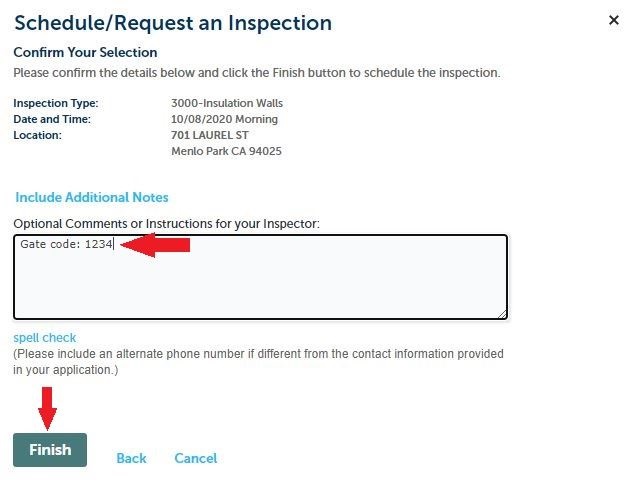
Step #1 - Open the Accela Citizen Access Portal (ACA) webpage.
Step #2 - Click on the "Building" header. Under "General Search" tab, enter the full record number (for example, BLD2026-00012), then scroll down to the bottom of the page to click on the "Search" button.
Step #3 - Once you are on the record page, select "Record Info", then click "Inspections", then select "Schedule or Request an Inspection" link.
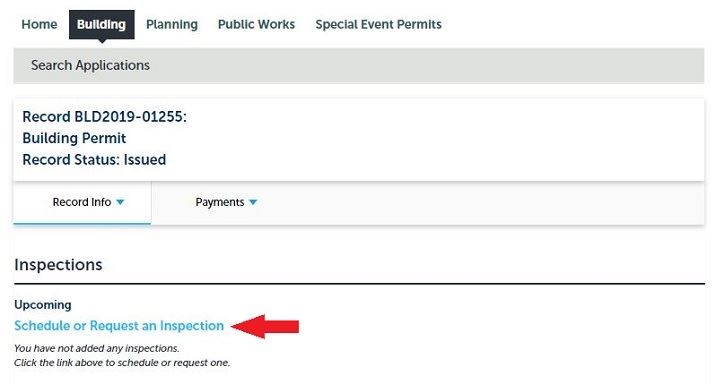
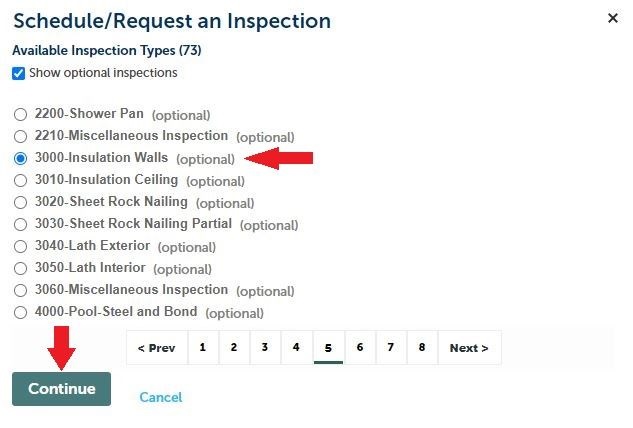
Step #4 - Select the desired inspection
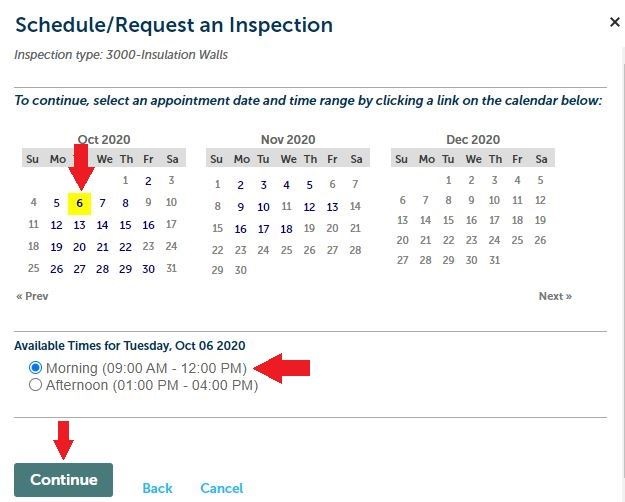
Step #5 - Select the date and time window (morning/afternoon) for your request:
- If the selected window is unavailable, you will see this error message, choose a different available date and/or time.

- At the final step, you may enter specific notes/requests (e.g., gate code or dog warning) by clicking on the blue text of the paragraph that starts with "Provide additional notes..." to open a comment box. Enter any additional comments or instructions. When done, click "Finish".